How to Add Links to Canva Website | Link to Products, Pages & More
You can set up links to almost anything in your Canva designs and Shopify theme. You can add links to other Shopify pages, Canvify imported pages, products, collections, you name it.
This guide explores:
- Adding links to Canva designed websites (clickable buttons, text etc.)
- Linking your Canvify imported page to Shopify’s buttons, text, etc.
Adding Links in Canva Website Design
You can add links to forms, social media content, guides, downloadable content, and so much more, right in your Canva website design.
Links are what take a static design to a functioning and responsive website. Here’s how to add them:
-
- Select any element (text, button, image, etc.) and right click on it.
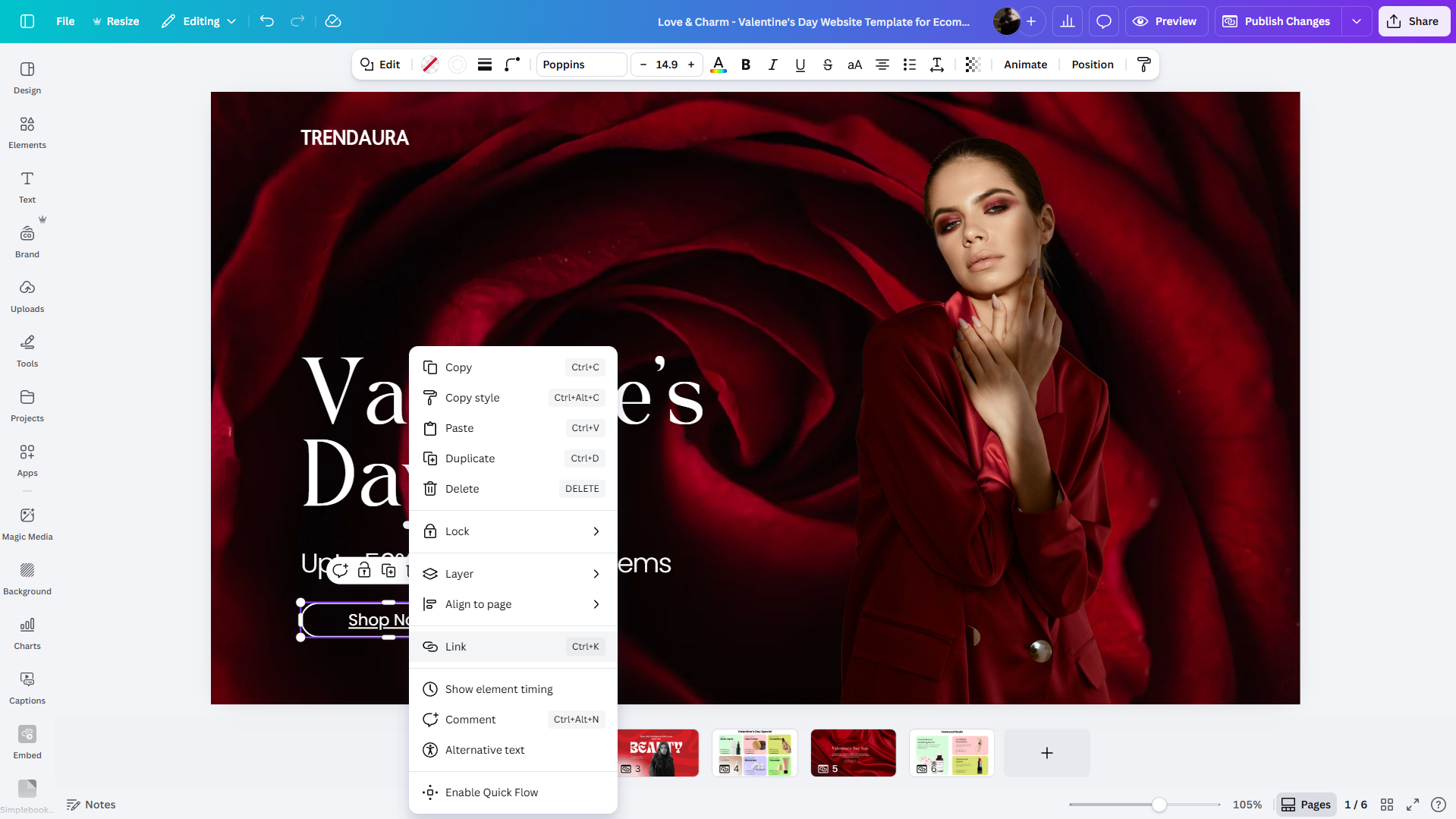
- Select any element (text, button, image, etc.) and right click on it.
-
- Select ‘Link’ option. You can now add your link here.
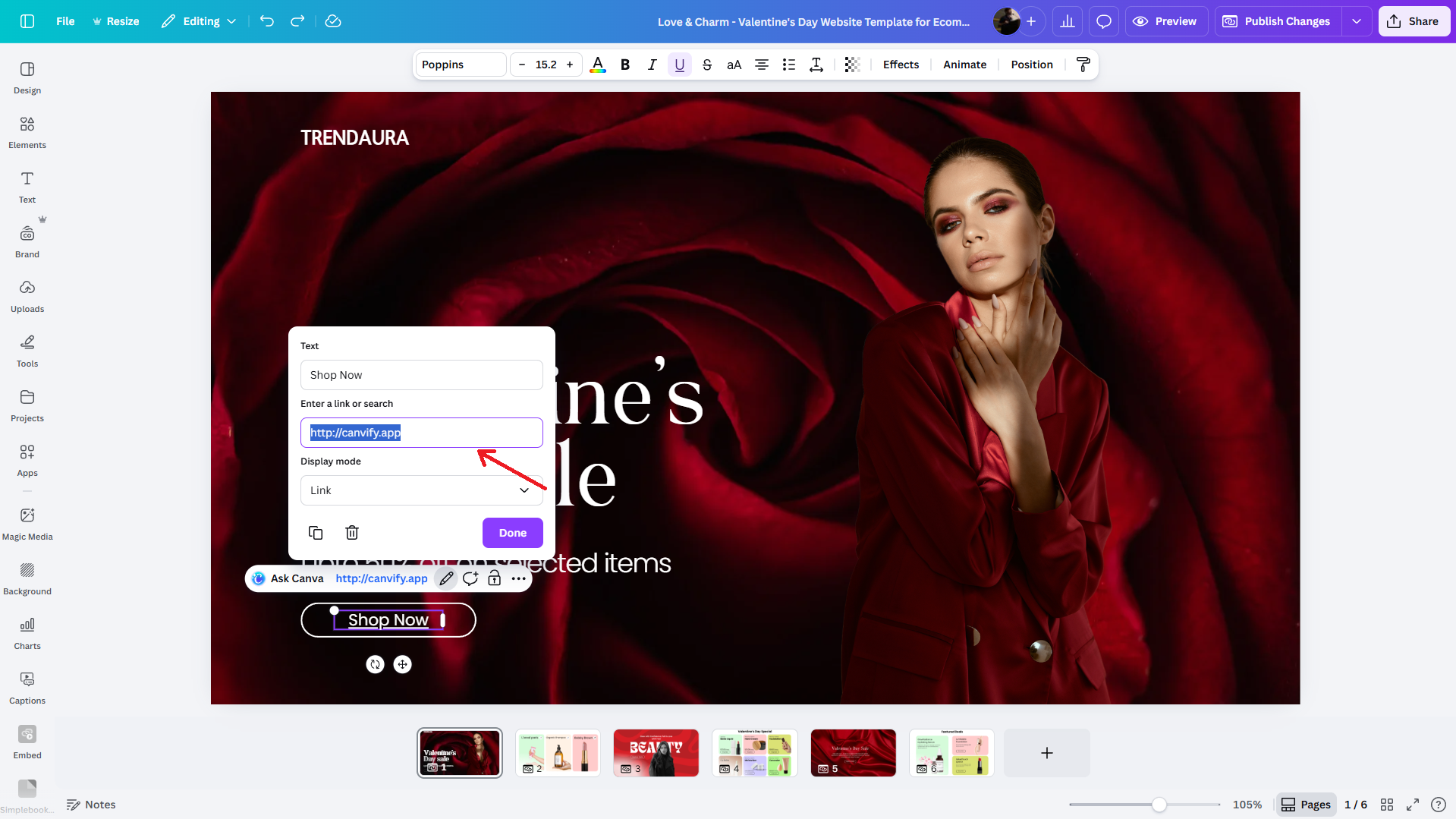
- Select ‘Link’ option. You can now add your link here.
You can also select other Canva website pages (if you’re creating a multi-page design).
Link Types: Links vs Embeds
Following a recent Canva update, you can now convert your links into embeds. I pasted a link to my Instagram post. Currently, its just a normal text with a link.
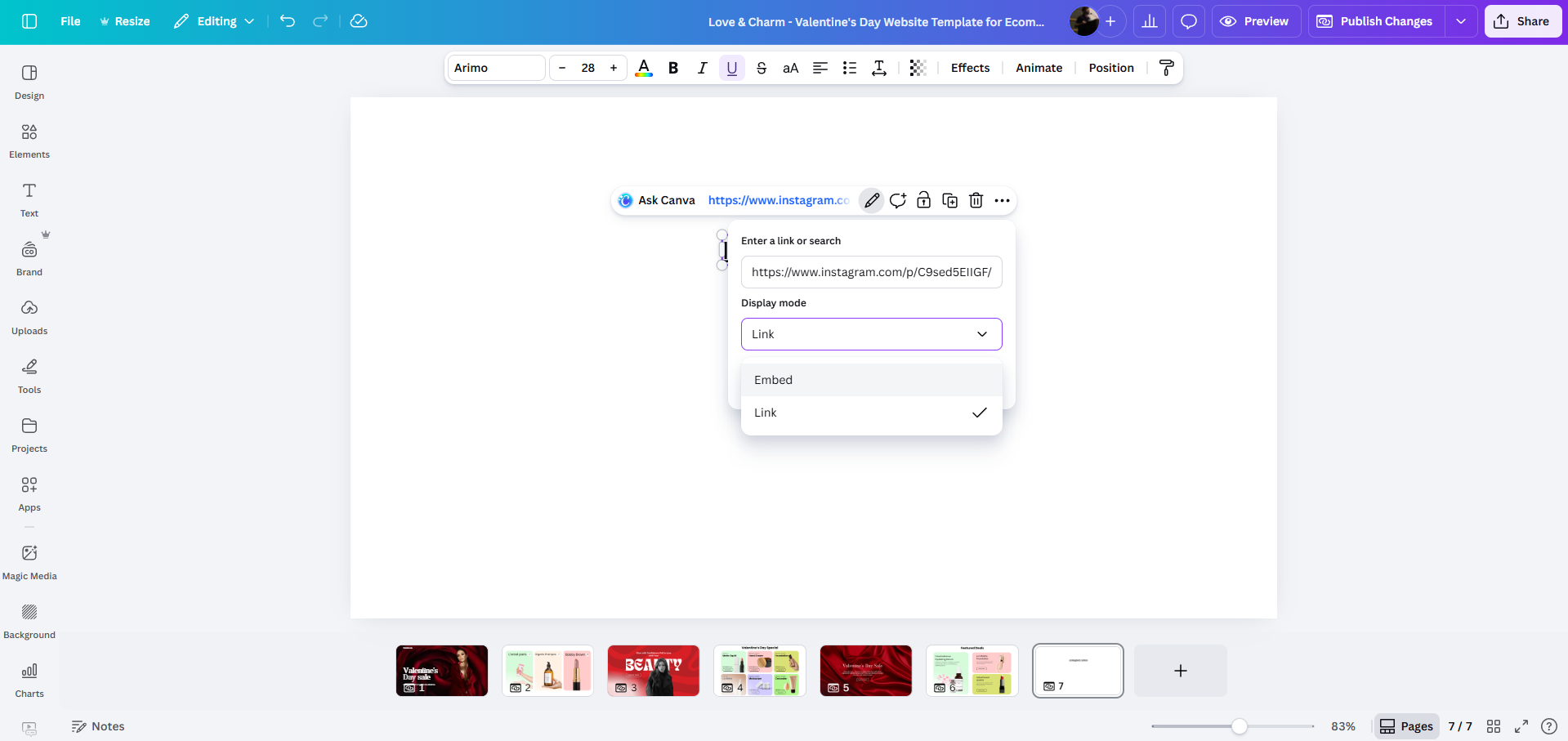
However, if I switch the type to ‘embed’, it instantly becomes a widget. This is even faster than using the legacy embed app feature.
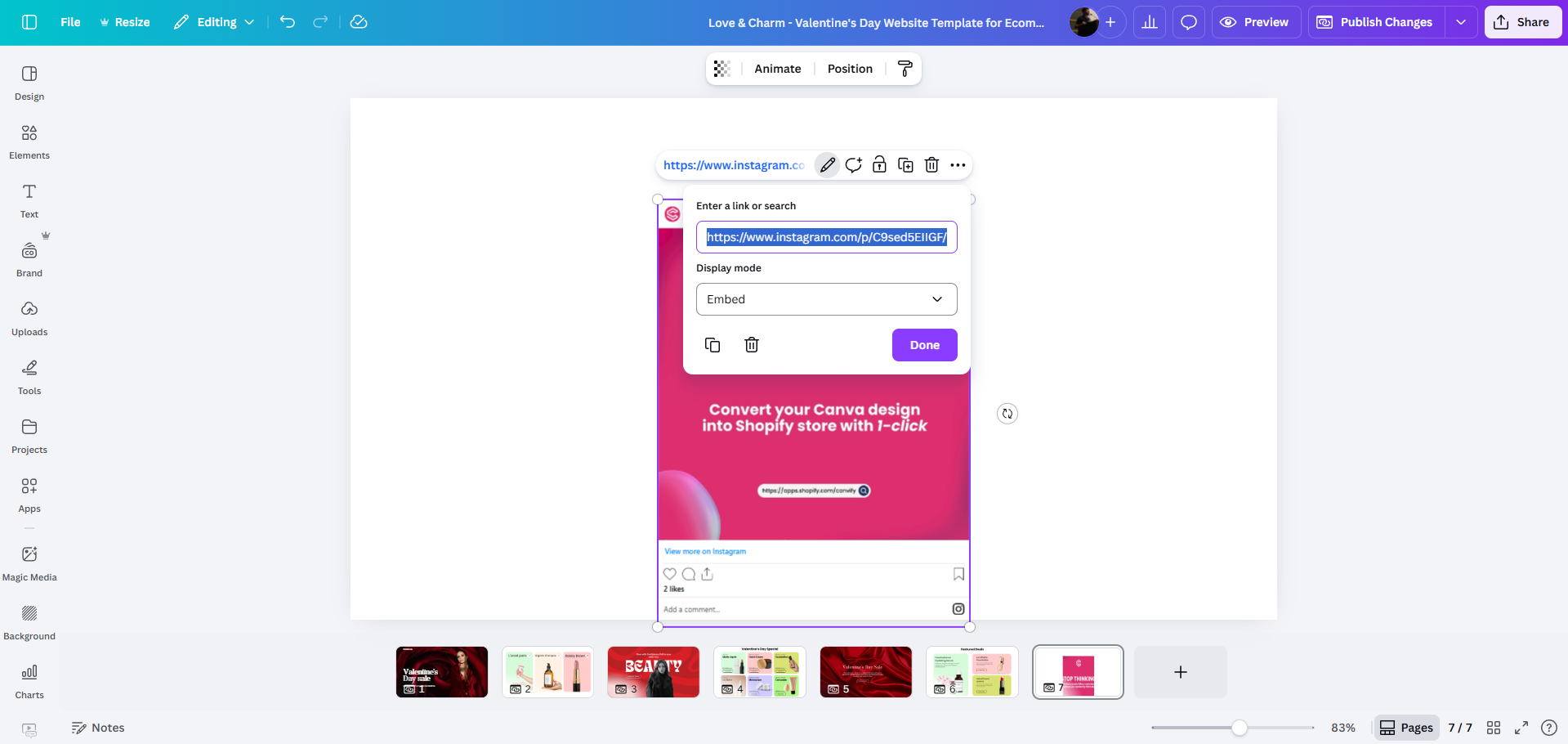
You can even add “Add to Cart” or “Buy Now” functionality to your Canva designs as well. Please refer to its own section here.
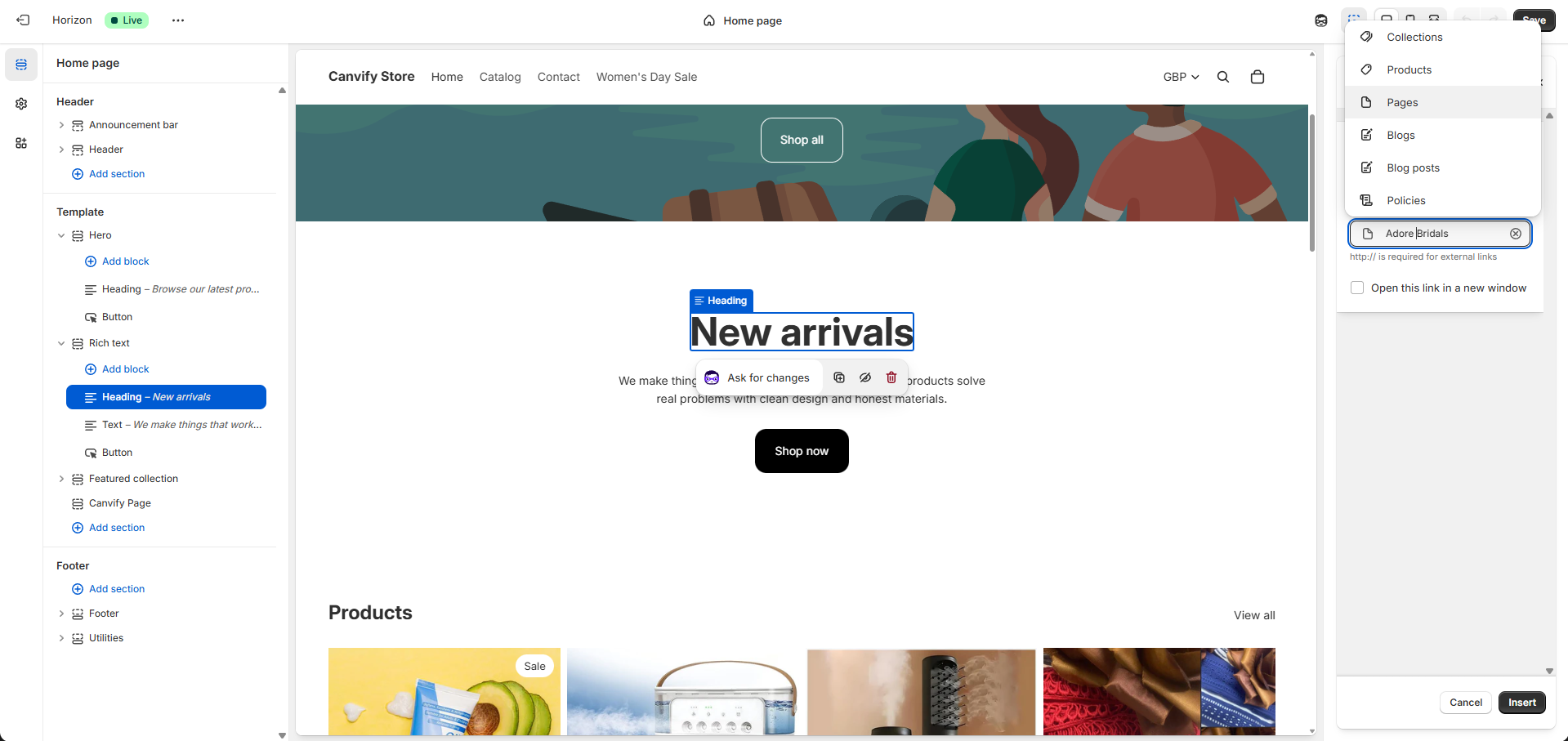
How to Link Canvify Pages To Shopify’s Elements
Let’s explore how you can add links to Shopify’s buttons, text and other elements that will take users to Canvify imported pages.
Go to the Canvify app, and open the page you imported. On top right, you will see the option to copy the link. This is the link to your Canvify page inside Shopify. This link IS NOT the same as Canva’s website link.
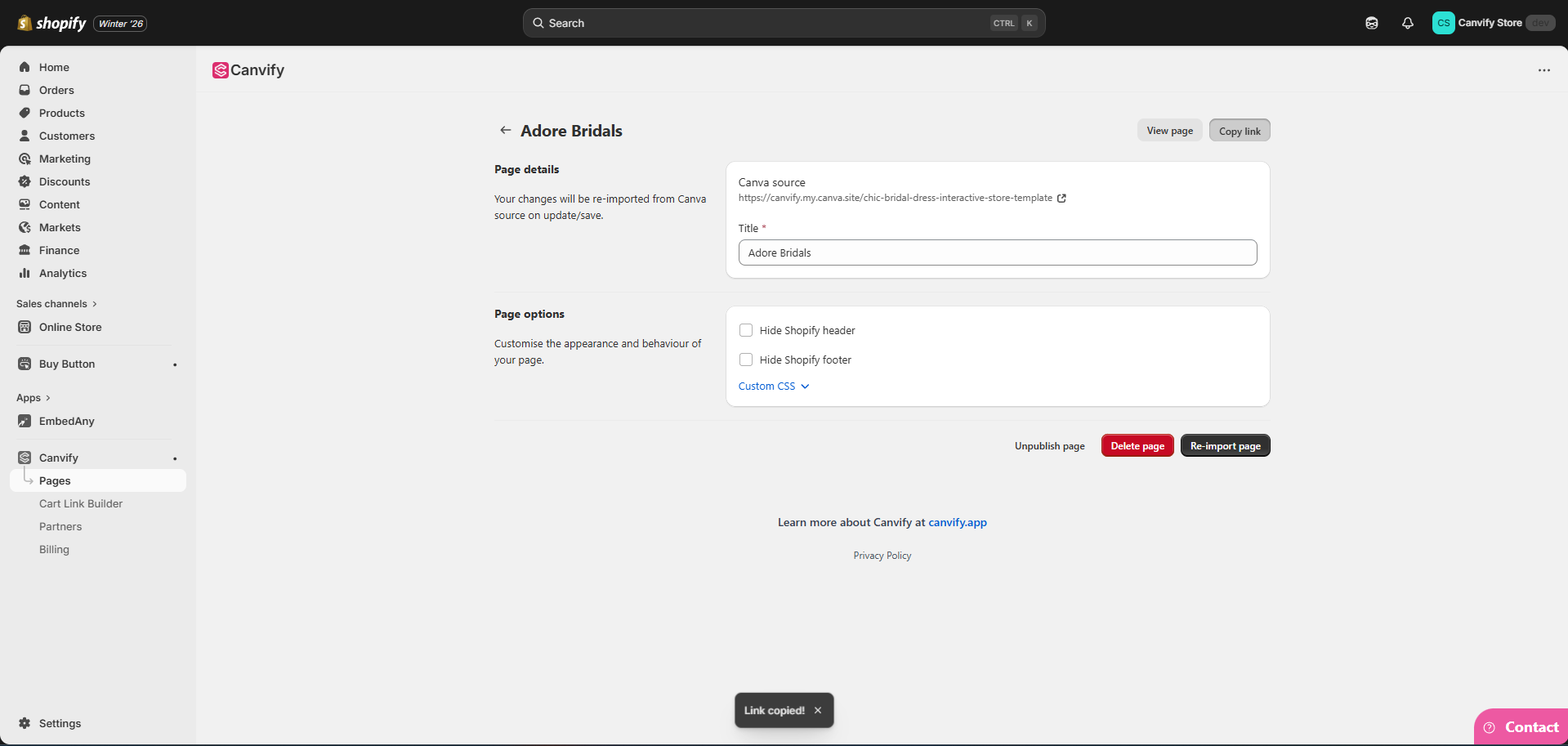
Now, you can add this link to your product descriptions, blogs, buttons, headings and more.
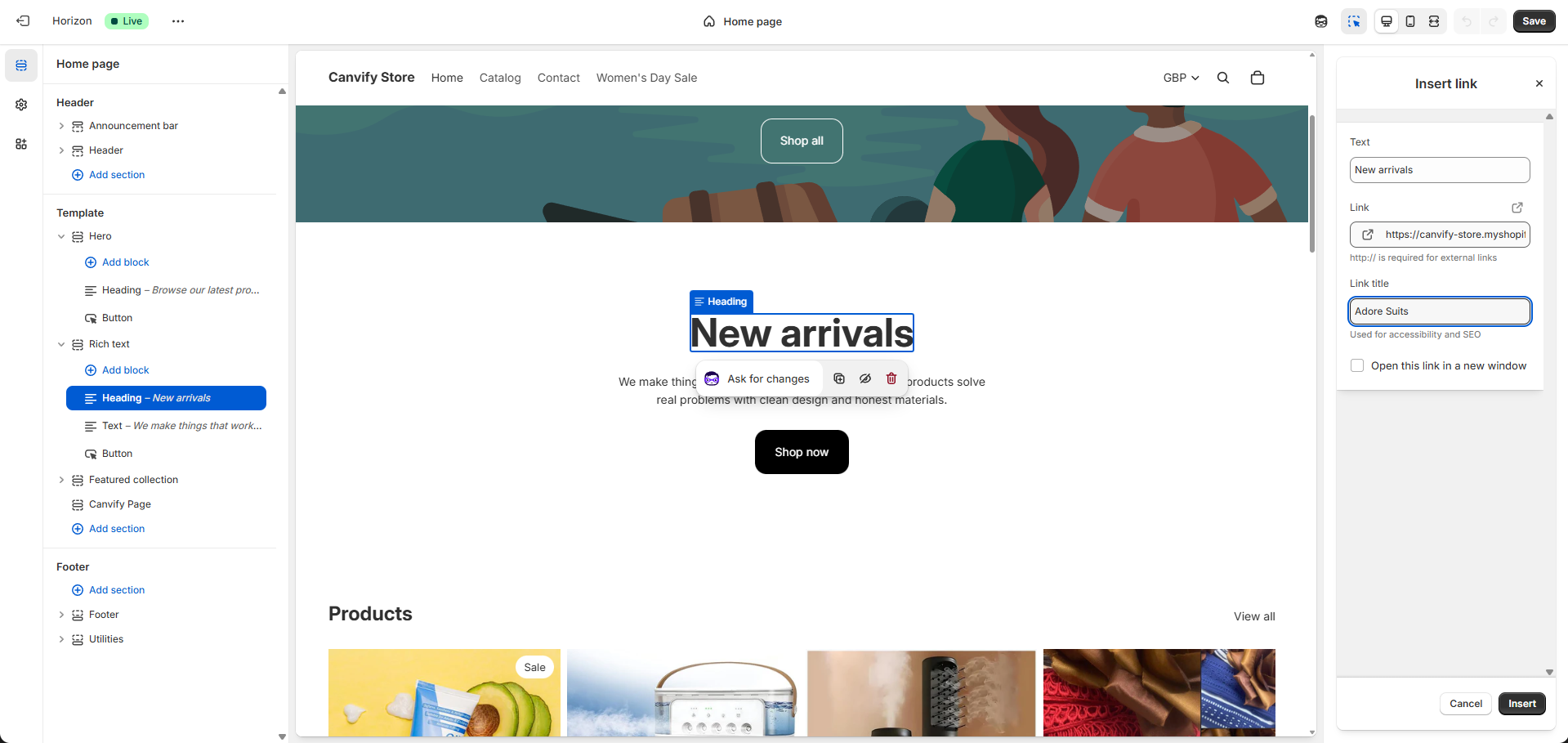
When you’re trying to link your page to buttons, headings, or other elements inside Shopify Theme Editor, you will see this ‘Pages’ option quite frequently. You can also search your page name in pages and select it directly. Copying link is only useful where you don’t get the option to select pages.